
Welcome to CoinCoin - making cryptocurrency collections easy.
I. Registering as a CoinCoin Merchant
Before you can start collecting money, you need to register as a CoinCoin merchant
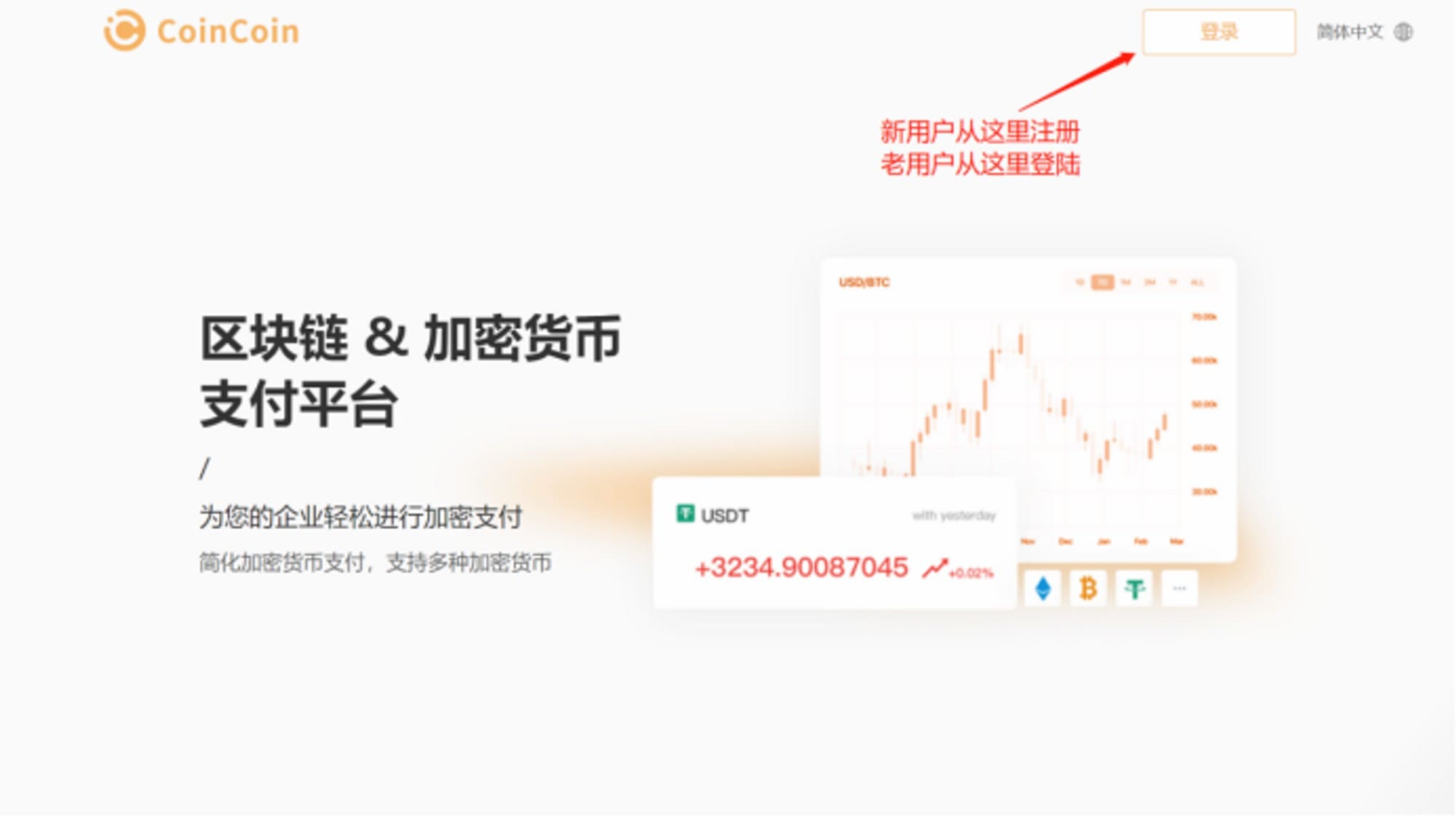
Open the homepage of the official website, click Login, enter your email address and confirm it is correct.
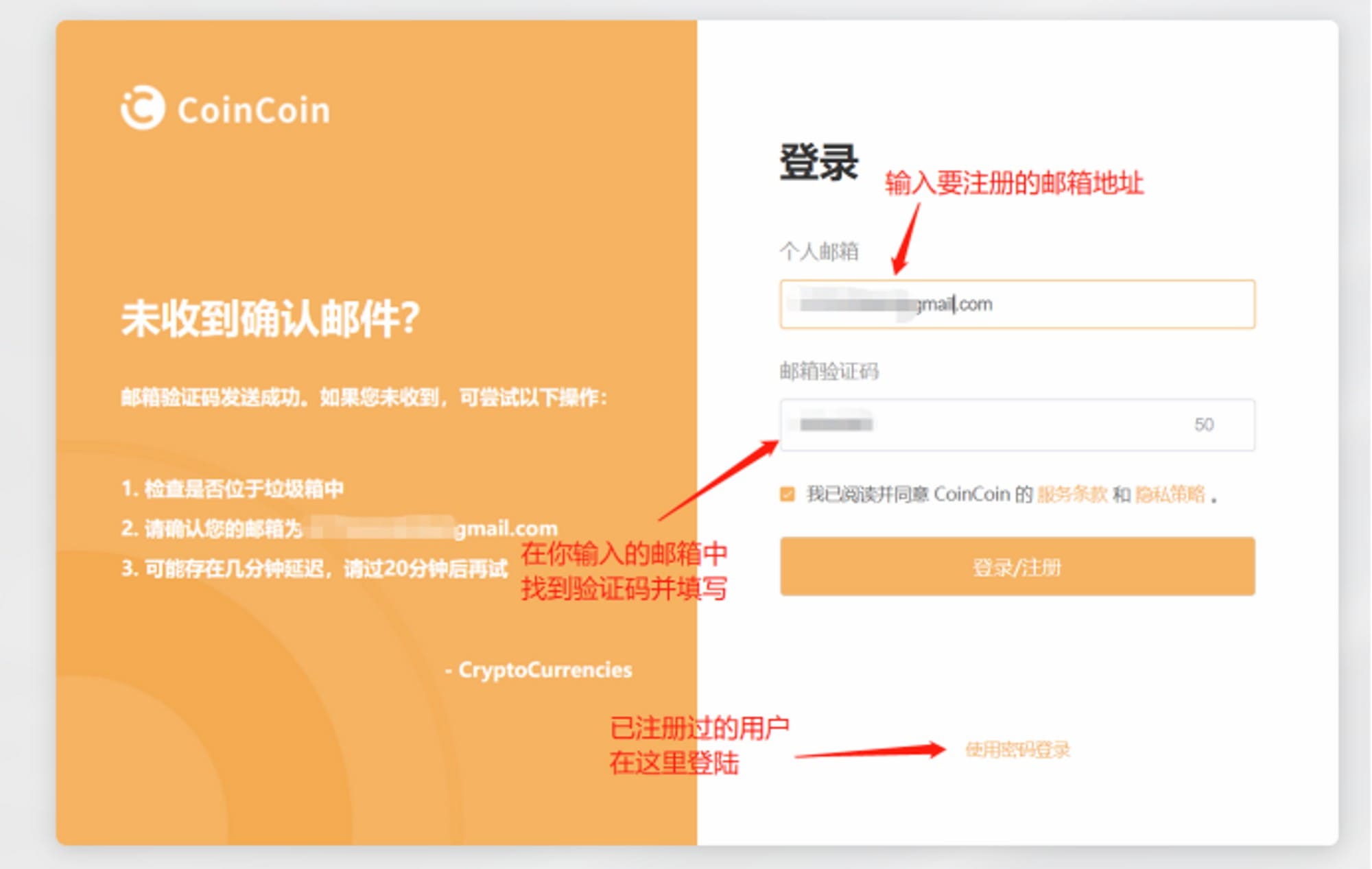
Click Get and open the verification code email sent by CoinCoin in your email address.
Enter the verification code in the email into the verification code box and click Login/Register.
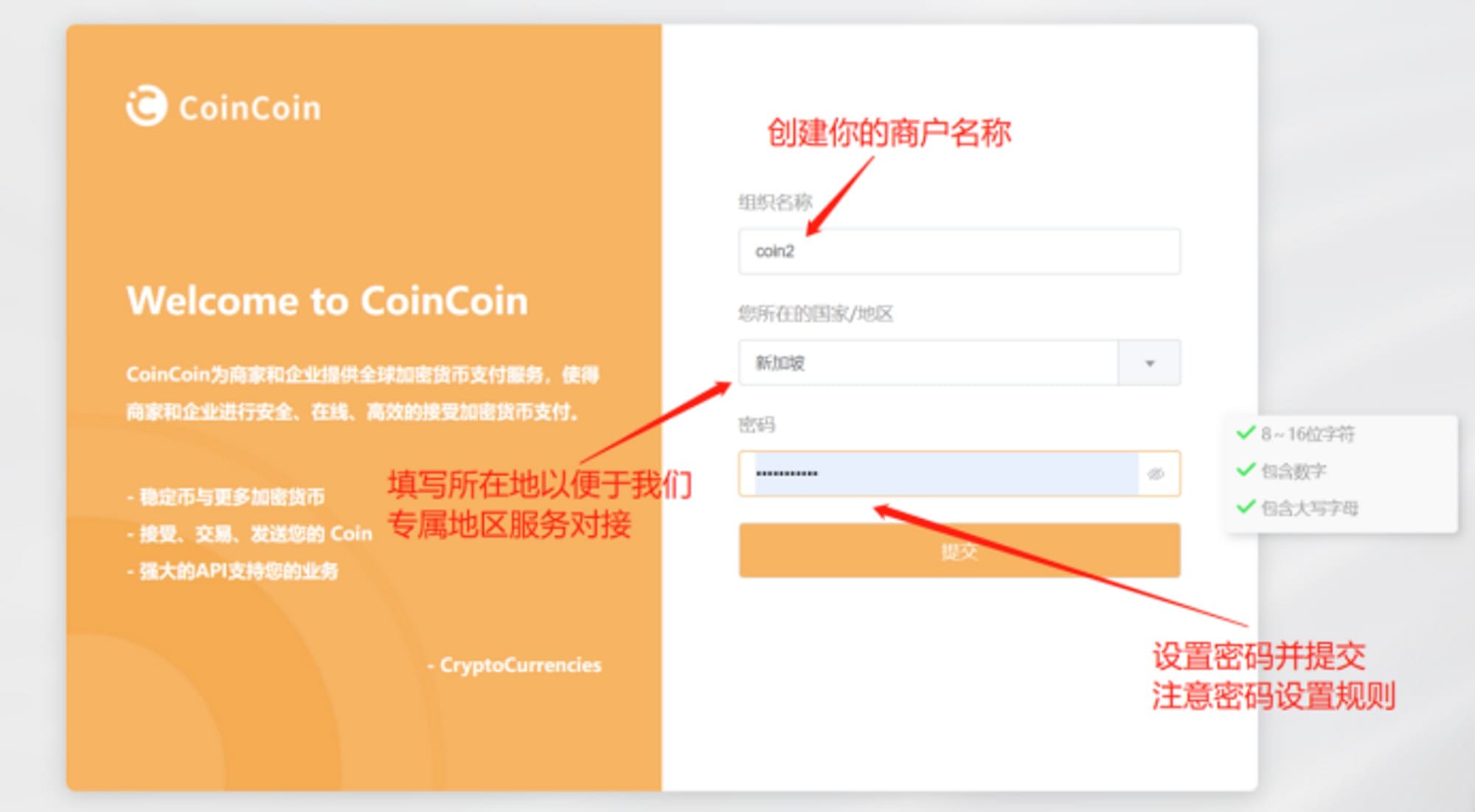
Perfect your information and click Submit, then the merchant registration is completed.
II. Merchant background introduction
Navigation bar
In the merchant background interface, you can see the function navigation area on the left side.
Overview
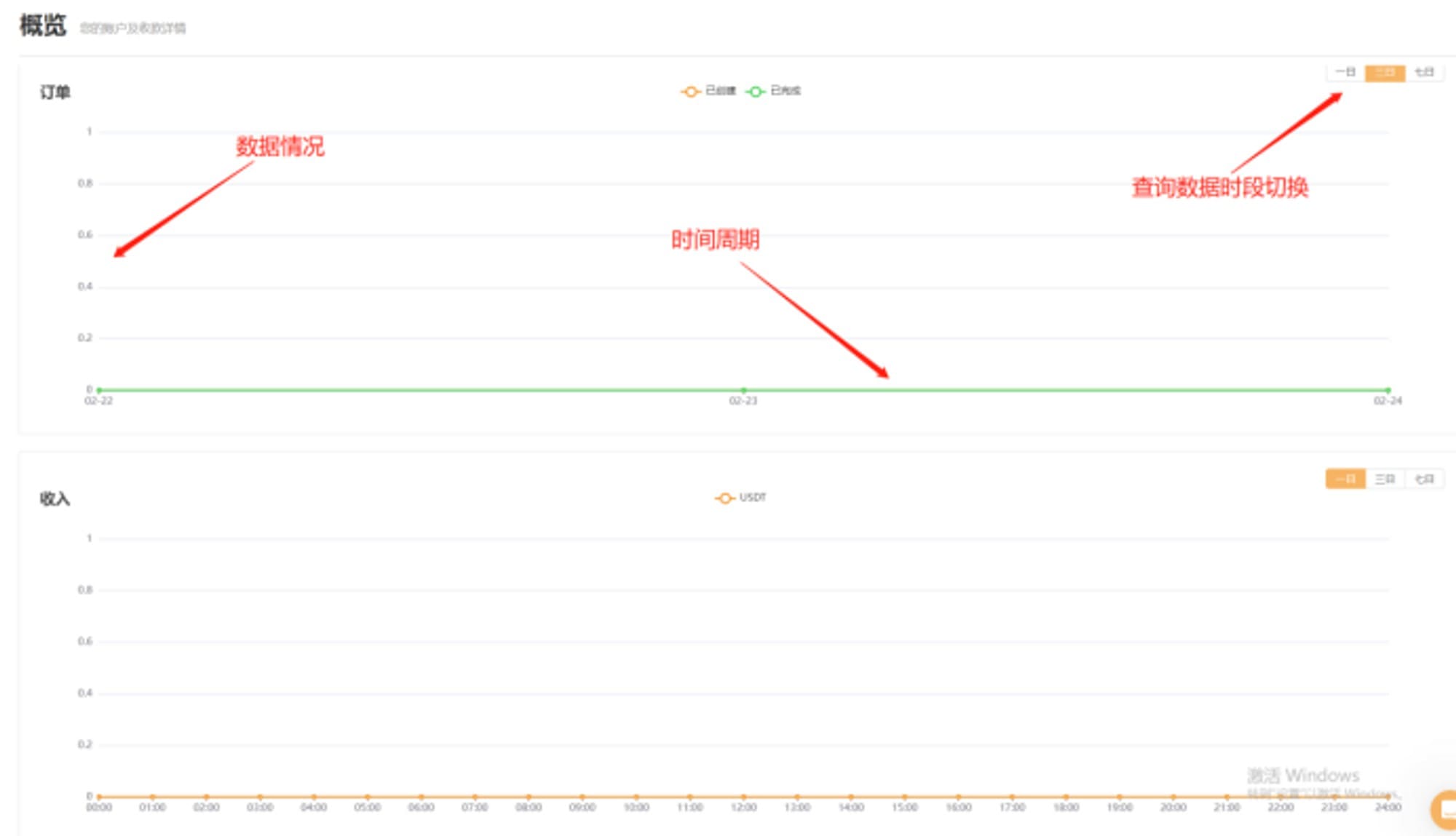
In this screen, you can see the overall status of your orders and cryptocurrency collections for the day; all data for the day is calculated in real time, and the ring data is calculated ring with yesterday's data for the same time period, giving you a clearer view of the sales situation.

In the icon section below, you can view the trend over the last 7 days, and you can adjust the time dimension using the button at the top right of the icon.
Wallet
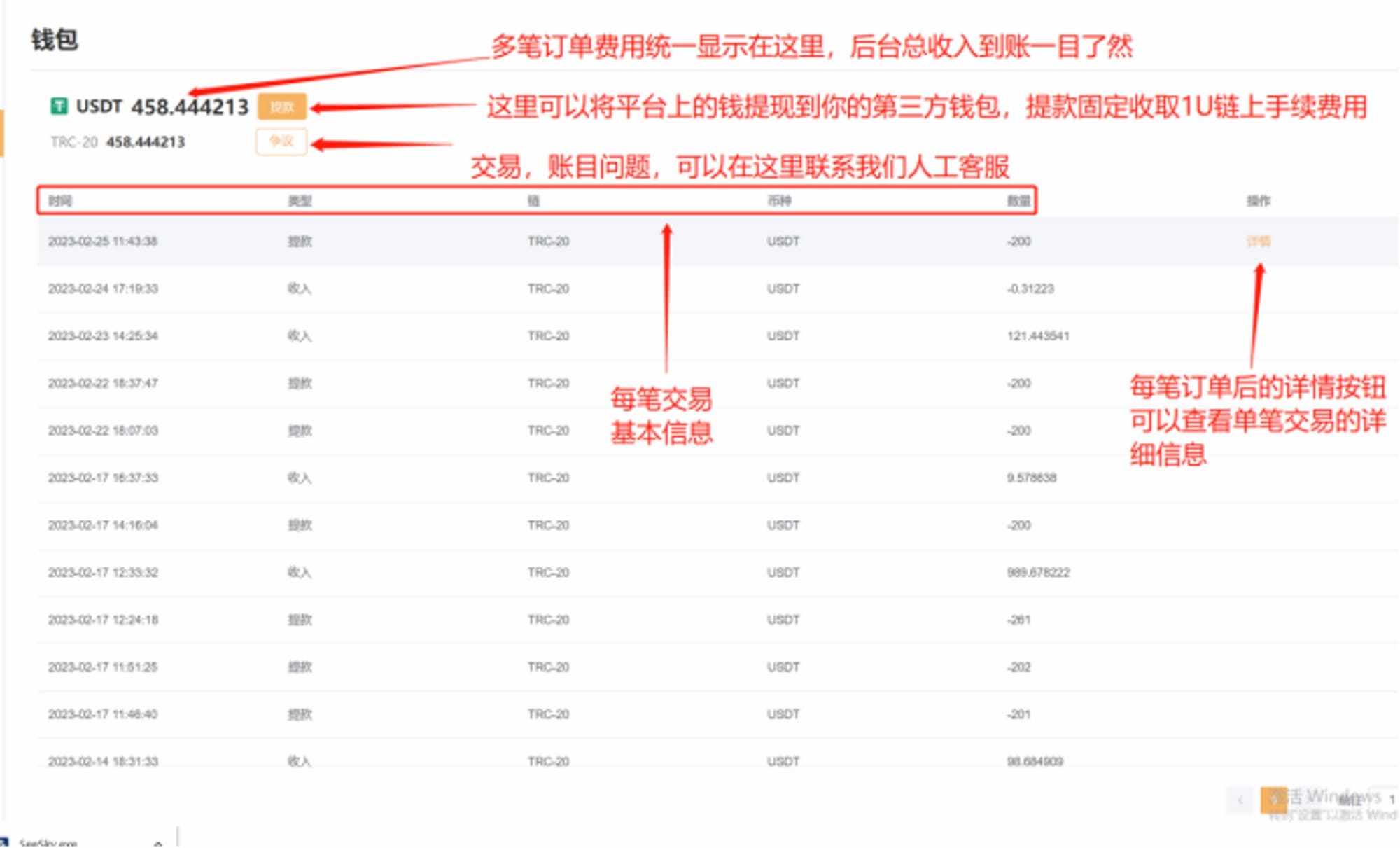
All your assets in the platform will be displayed in this page in the form of different blockchains and different cryptocurrencies.
After the settlement of all your completed orders, the cryptocurrencies you received will be transferred to your platform wallet.
you can transfer the cryptocurrencies in the platform to your own cryptocurrency wallet through the Withdrawal function.
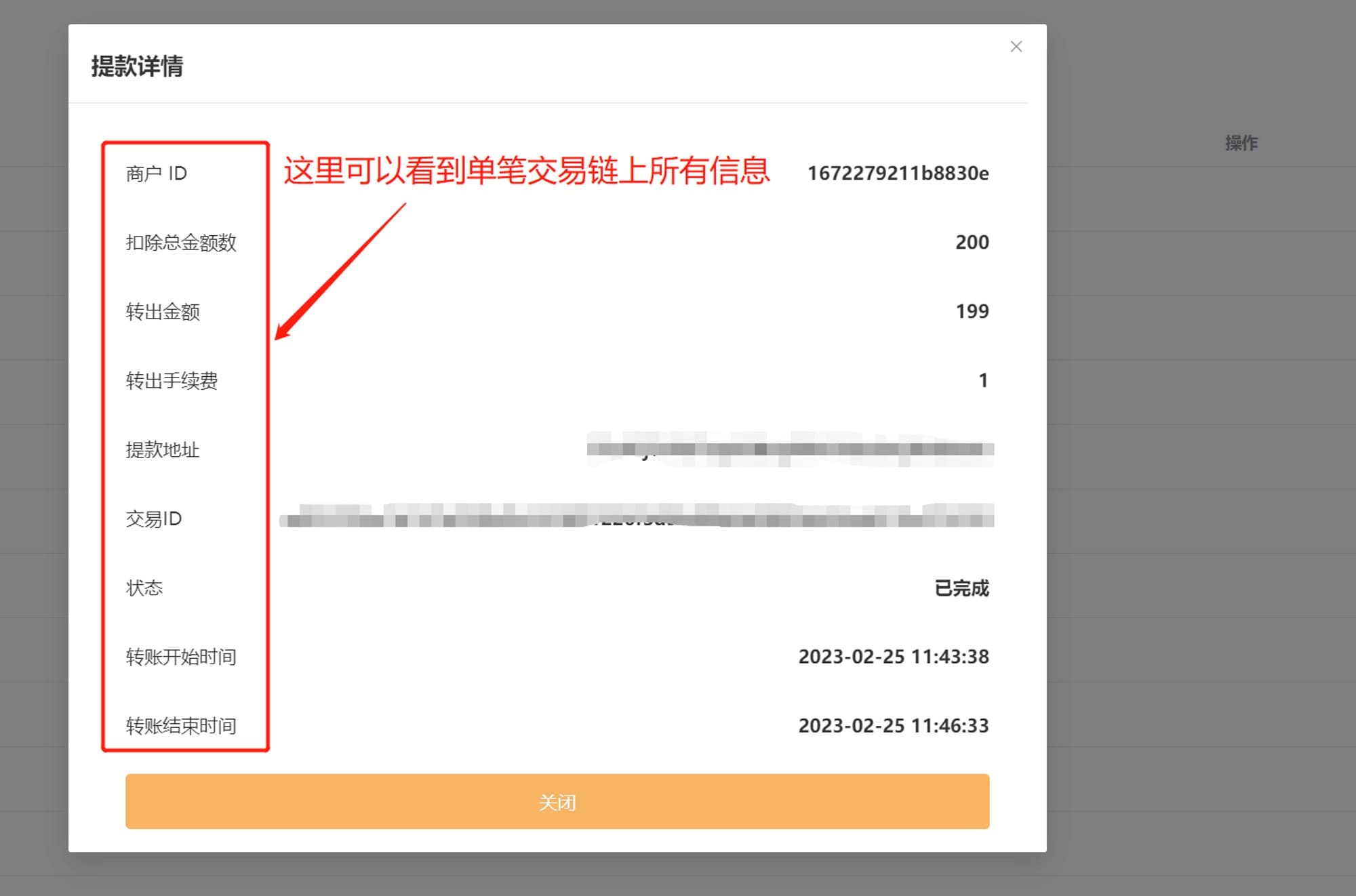
At the bottom of the page is the details of your wallet balance changes, you can check the transaction status of each withdrawal through the Details function.
Orders
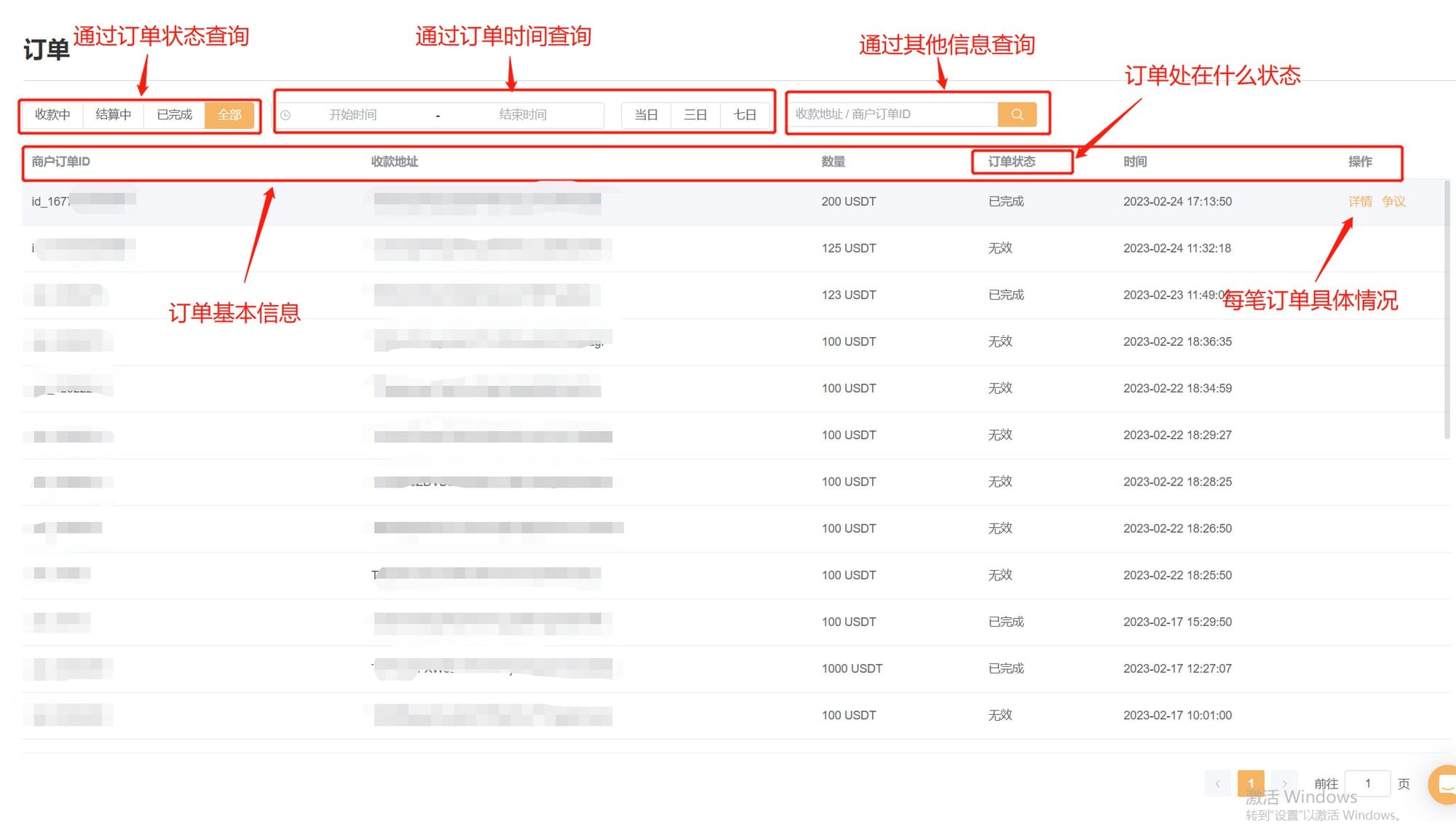
All orders created by you in CoinCoin will be displayed here visually.
Orders are divided into four inquiry states:
- Receiving: Orders you have created that are waiting to be received
- In Settlement: The user has paid and the CoinCoin platform is accounting for the amount, while deducting the on-chain fees and service charges.
- Completed: Orders that have already been settled.
- All: All created orders.
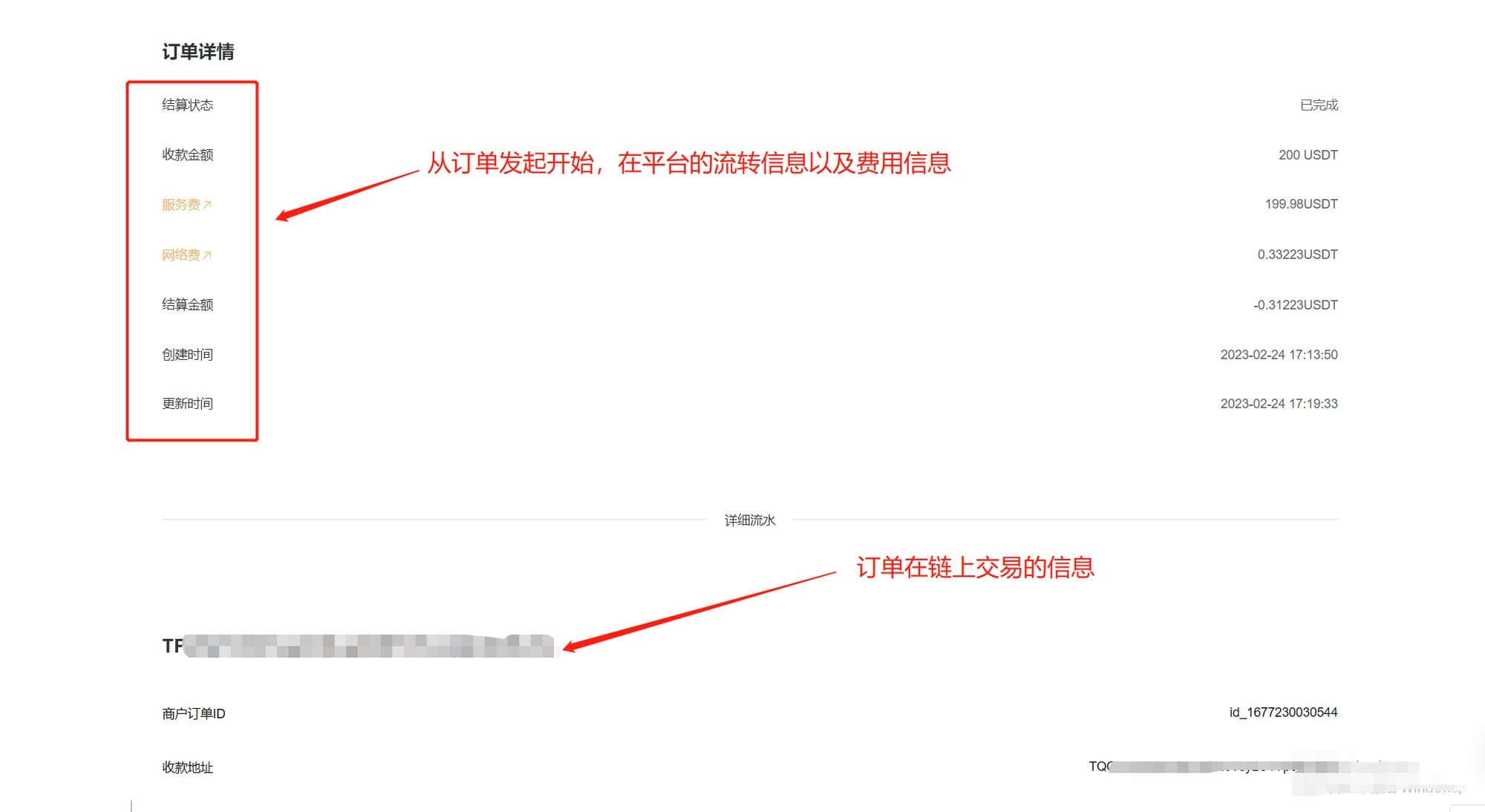
You can view the cryptocurrency flow details in the order details screen
Details includes:
- Order transaction information on the chain, including status, time, network fee and service charges, etc.
- On-chain information: transaction ID, receipt time, payment address, receiving address, etc.
Create Developer API
Here are all developer APIs you have created , we will notify you of your registered APIs when your order receives cryptocurrency.
You need to make some configurations to start your cryptocurrency collection journey:
- You can click Developer - Create API KEY in the merchant backend, enter the callback address and other information, and click Create.
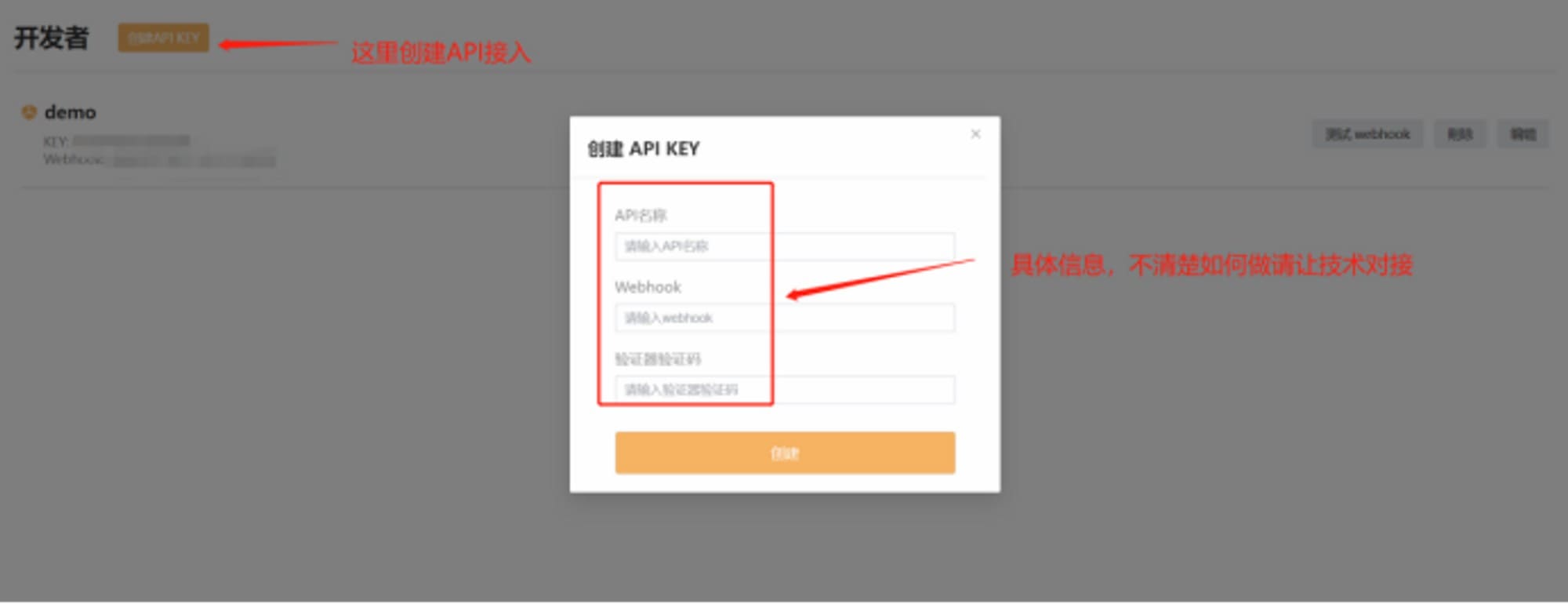
- Test whether Webhook is available (if you don't need Webhook, you can skip this step) On the Developer page, select the developer API you want to test, click Test button, the system will send the request to the Webhook address you set; if you don't receive it, please check.
- whether the Webhook address is correct.
- whether your service is started.
- whether it has a firewall that blocks the request. If the above cannot be solved, please contact us.
- create an order through API, please refer to Developer Documentation for the specific API interface; when the creation is successful, the API will return the 'address' receiving address, you will show the address to your customer and pay, the payment will be completed.
Note that this address should not be reused after the expiration date, please recreate the order.
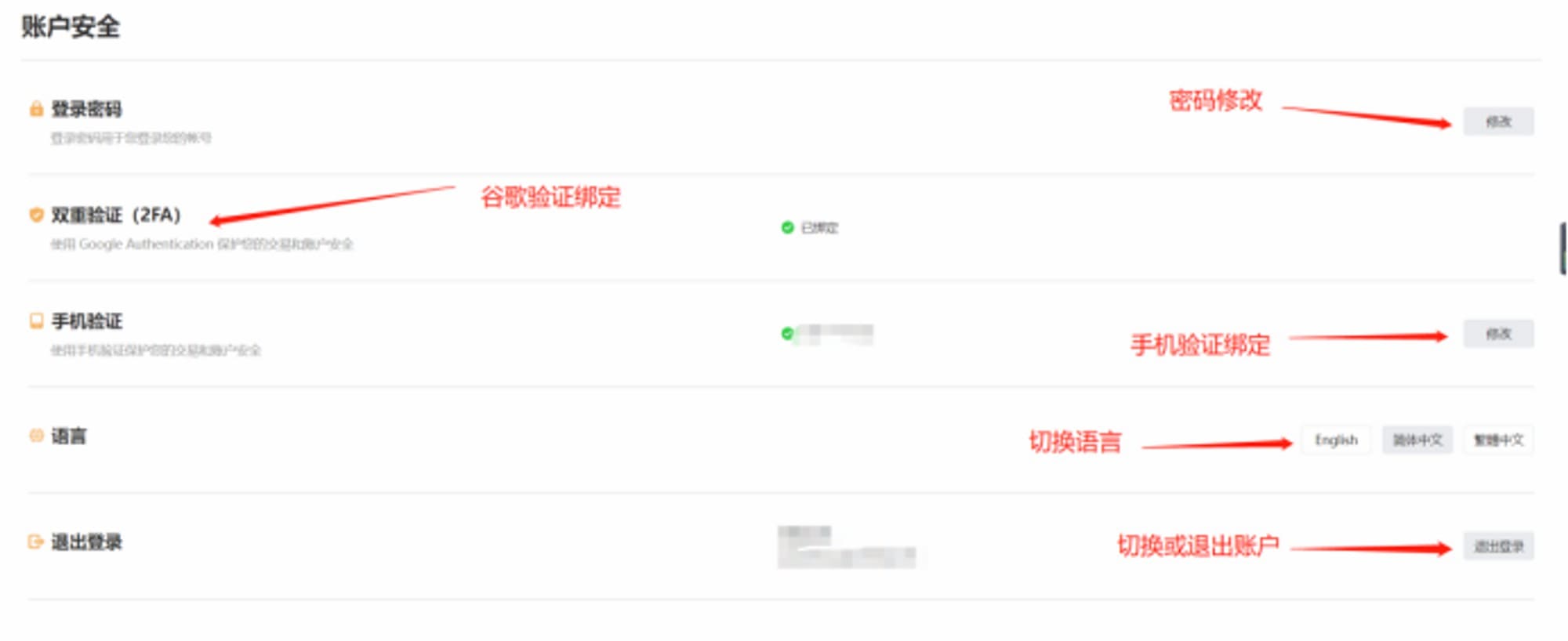
Security
Here, you can bind Google Authentication, cell phone number to enhance your account security; and you can change your login password and other settings.
III (3), Start Receiving
On the Order page, you can see the arrival status of your order. Due to the nature of blockchain, cryptocurrency payment will have a certain time delay, usually 1 to 30 minutes, please be patient.